
Software for Managing your Amazon Virtual Assistant
When you bring on a virtual assistant, the tools you use shape how efficiently they can work.
The goal isn’t to add complexity — it’s to create a setup that keeps work organized, communication clear, and performance easy to manage.
You also don't need to buy a separate subscription to every piece of software for every VA. Some accounts can be shared, while others — particularly Keepa — generally need to be purchased separately for each person.
Time Tracking: Visibility Without Micromanaging
When someone is working remotely, you need a clear view of how time is being spent.
Tools like Insightful or Hubstaff track hours and can take periodic screenshots during work sessions. Plans can cost around $10/month per user, depending on the service and plan you choose.
This gives you a reliable way to understand output and spot issues early.
Used properly, this isn’t about control — it’s about having accurate information so you can make better decisions.
Communication: Keep It Consistent
You don't necessarily need another paid subscription for communication.
WhatsApp Desktop or Discord are both free and work well for everyday communication with your VA.
What matters more than the platform is having a consistent rhythm.
Your VA should:
Message at the start of their shift
Ask questions as they come up
Send a short summary at the end of the day
This keeps everything moving without constant check-ins.
Password Management: Secure Access from Day One
Sharing passwords manually quickly becomes a problem.
A password manager such as LastPass or Bitwarden allows you to share access more securely and remove it later when necessary.
Depending on the plan you choose, expect to spend around $6/month.
It’s a small expense that can prevent much bigger security problems later.
Sourcing Tools: Where Most of the Software Cost Goes
For Amazon arbitrage, your VA will probably spend most of their working day using Keepa and SellerAmp.
At a minimum:
Keepa for pricing history, sales data, Product Finder, offer information and other product research
SellerAmp for evaluating potential deals
One important difference is how the subscriptions work.
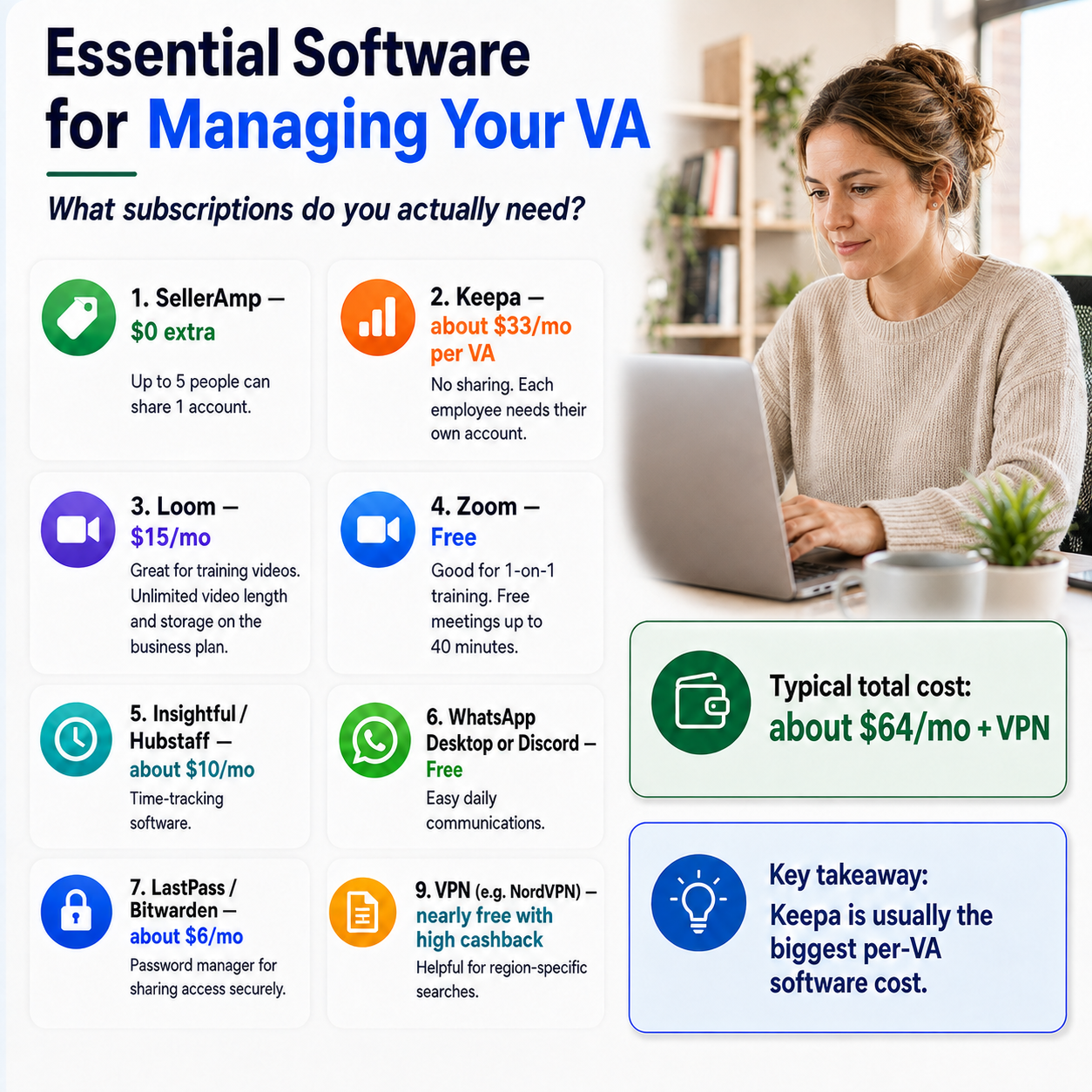
A SellerAmp account can be shared with multiple users depending on your plan, so bringing on another VA may cost you $0 extra. Up to five people can share one account in the setup shown here.
Keepa is different. Each employee generally needs their own account.
At roughly $33/month per VA, Keepa will often be your largest additional software expense when adding another sourcing VA.
That's worth considering when calculating the true cost of hiring.
Training & Documentation: Build Once, Reuse
Clear documentation saves time.
Loom is useful for recording training videos and walkthroughs. A paid plan is around $15/month in the setup shown here and gives you features such as longer videos and additional storage.
The nice thing about training software is that you're building an asset.
Record a good training video once and you can reuse it every time you hire someone new.
You can also use tools such as Scribe for written SOPs and store your training materials somewhere easy for your VA to access, such as Google Drive, Google Sheets or Notion.
Meetings & Live Training
For real-time training, Zoom or Google Meet work well.
You don't necessarily need a paid Zoom subscription. The free version can be enough for one-on-one training, although free meetings may have time limits — around 40 minutes in some situations.
A simple training method is to have your VA share their screen and complete the task while you watch.
This makes it easier to catch mistakes immediately and reinforce the correct process.
Recording training sessions can also give your VA something to refer back to later.
VPN: Keep Results Consistent
If your VA is working from another country, a VPN can help ensure they’re seeing the same search results and retailer websites as you.
This can be particularly useful for region-specific sourcing.
I use services such as NordVPN, and the effective cost can sometimes be very low if you purchase during a promotion or through a high-cashback offer.
What Does All of This Cost?
Your exact cost will depend on the plans you choose and which tools you already have.
Using the setup above, a typical software stack might cost around $64/month plus a VPN.
But remember that not every cost increases every time you hire another VA.
Some tools can be shared across your team.
The biggest recurring per-VA software expense is usually Keepa, because each sourcing VA generally needs their own subscription.
Keep It Simple
Most Amazon businesses don’t need a huge collection of software.
A basic VA setup can cover:
Time tracking: Insightful or Hubstaff
Communication: WhatsApp or Discord
Password management: LastPass or Bitwarden
Sourcing: Keepa and SellerAmp
Training: Loom
Live meetings: Zoom or Google Meet
Location-specific browsing: VPN
Start with the tools your VA actually needs to do their job.
You can always add more later.
A clean, well-organized software setup makes your VA easier to manage — and your business easier to scale.